
Metrolist APK Latest Version
Metrolist is a modern, lightweight, open-source YouTube Music client for Android. Built with Jetpack Compose, it brings background playback, offline song caching, real-time synced lyrics, and acoustic equalization to your mobile device—free from invasive advertising and subscription requirements.
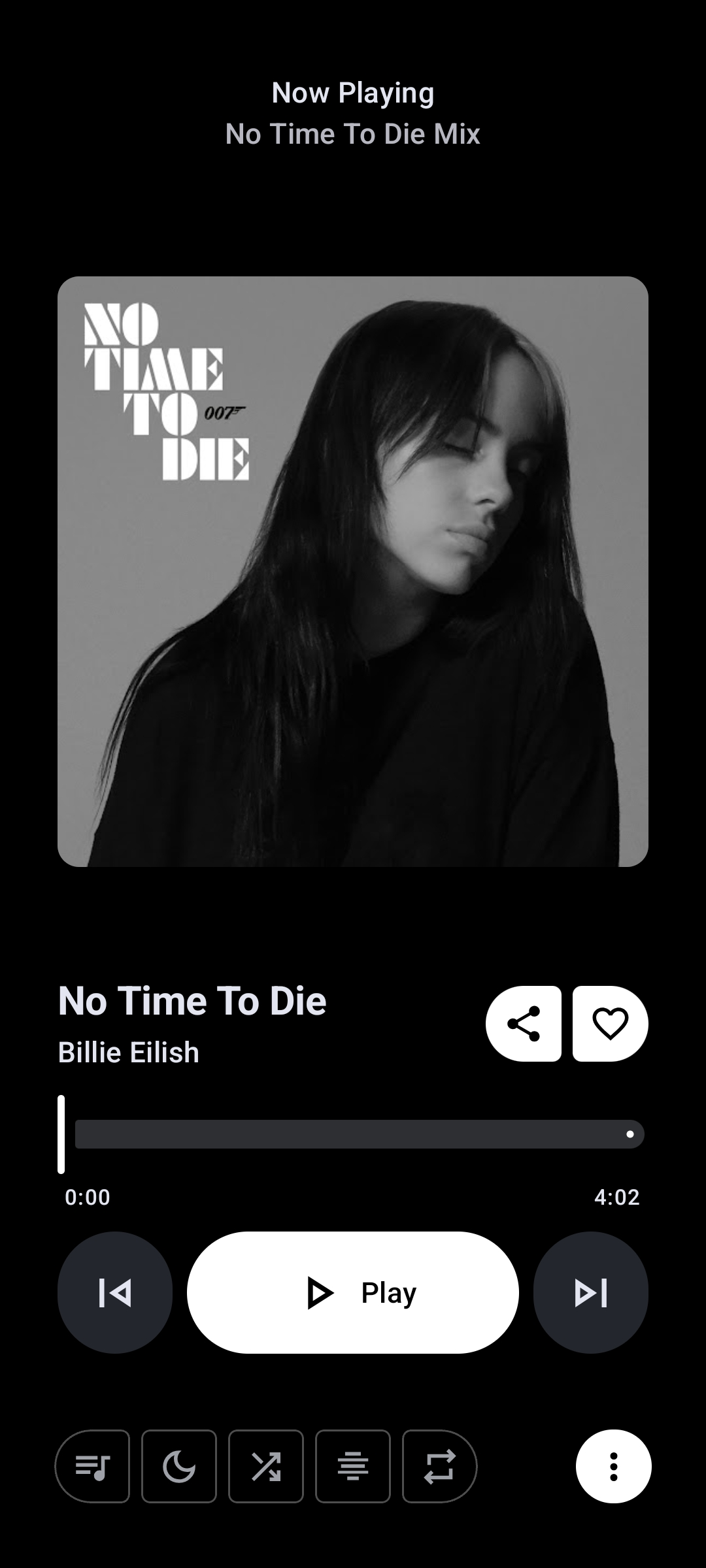
Metrolist Audio Engine
Background • Lossless Sync • Synced Lyrics
Download Metrolist APK v13.7.0
Choose your preferred download method below. In adherence to open-source safety principles, all downloads connect directly to verified upstream release binaries hosted by the project maintainers.
Metrolist.apkv13.7.0 Stable
Direct release package from official MetrolistGroup repository
metrolistapk.cc does not store altered or repackaged APK files on our own servers. Clicking the download button below directly fetches the authentic, developer-signed binary from GitHub Releases (github.com/MetrolistGroup/Metrolist).
Metrolist builds are signed by the project maintainers with official release keys. You can independently confirm source code integrity on GitHub.
- No Ads or Malware: Clean open-source code without third-party ad networks or hidden telemetry.
- Direct Updates: Future updates can be installed seamlessly without losing cached offline tracks.
- Independent Build: Does not require Google Play Services or microG frameworks.
Metrolist APK Information & Verification Details
All technical details below are directly extracted from the upstream APK package manifest and verified release binaries.
| App Name | Metrolist |
|---|---|
| Package Name | com.metrolist.music |
| Latest Version | v13.7.0 (Build 153) |
| Verified File Size | 25.6 MB (26,872,306 bytes) |
| Minimum Android Version | Android 8.0 (API 26) or higher |
| Target Android Version | Android 15 (API 36) |
| Developer / Maintainer | MetrolistGroup |
| Category | Music & Audio / YouTube Music Client |
| Software License | GNU General Public License v3.0 (GPL-3.0) |
| Architecture Support | Universal (arm64-v8a, armeabi-v7a, x86_64) |
| Release Date | September 2026 |
| Pricing Model | 100% Free & Open-Source (Zero Ads / Paywalls) |
Core Features & Capabilities of Metrolist
Discover how Metrolist turns YouTube Music into an uncompromised, ad-free personal audio player with cutting-edge playback controls and audiophile-grade acoustic tuning.
Seamless Playback
Full YouTube Music Catalog
Stream millions of songs, albums, artists, remixes, and music videos directly from the YouTube Music database.
Background & Screen-Off Audio
Listen continuously with your phone locked or while switching between other applications without interruptions.
Offline Caching & Downloads
Save your favorite tracks and full albums locally on your device for smooth offline playback without internet.
Skip Silence & Sleep Timer
Automatically trim quiet pauses between tracks and set an intelligent sleep timer to pause playback at bedtime.
Acoustic & Audio Control
Built-In Equalizer
Fine-tune frequencies, bass boost, and virtualizer to match your headphones, car audio, or external speakers.
Audio Normalization (ReplayGain)
Prevents sudden volume spikes across different tracks, maintaining consistent loudness across diverse albums.
Tempo & Pitch Adjustment
Slow down or speed up songs and alter audio pitch in real time—ideal for musicians, dance practice, and study.
Smooth Crossfade
Transition between consecutive tracks smoothly without abrupt silences or harsh song endings.
Lyrics & Discovery
Live Synced Lyrics
Follow along line-by-line with real-time synchronized lyrics sourced from multiple reliable lyric providers.
AI Lyrics Translation
Translate foreign song lyrics on the fly to understand global tracks in your preferred language.
Personalized Quick Picks
Discover tailored music recommendations, dynamic mood mixes, and trending charts based on your taste.
Built-in Song Recognition
Identify ambient music playing around you with the native song recognition engine (Shazam-style).
Privacy & Open Source
100% Free & Open Source
Licensed under GNU GPL v3.0 with complete source code audited and published publicly on GitHub.
Zero Third-Party Ad Trackers
Free of intrusive commercial advertising banners, pop-ups, or invasive analytics trackers.
No Account Required
Start listening immediately without logging into a Google account, or link your library securely if desired.
Listen Together Sessions
Sync listening sessions with friends in real time for collaborative music streaming experiences.
Inside the Metrolist Experience
Authentic interface captures of Metrolist running natively on Android with Material You design and responsive gestures.
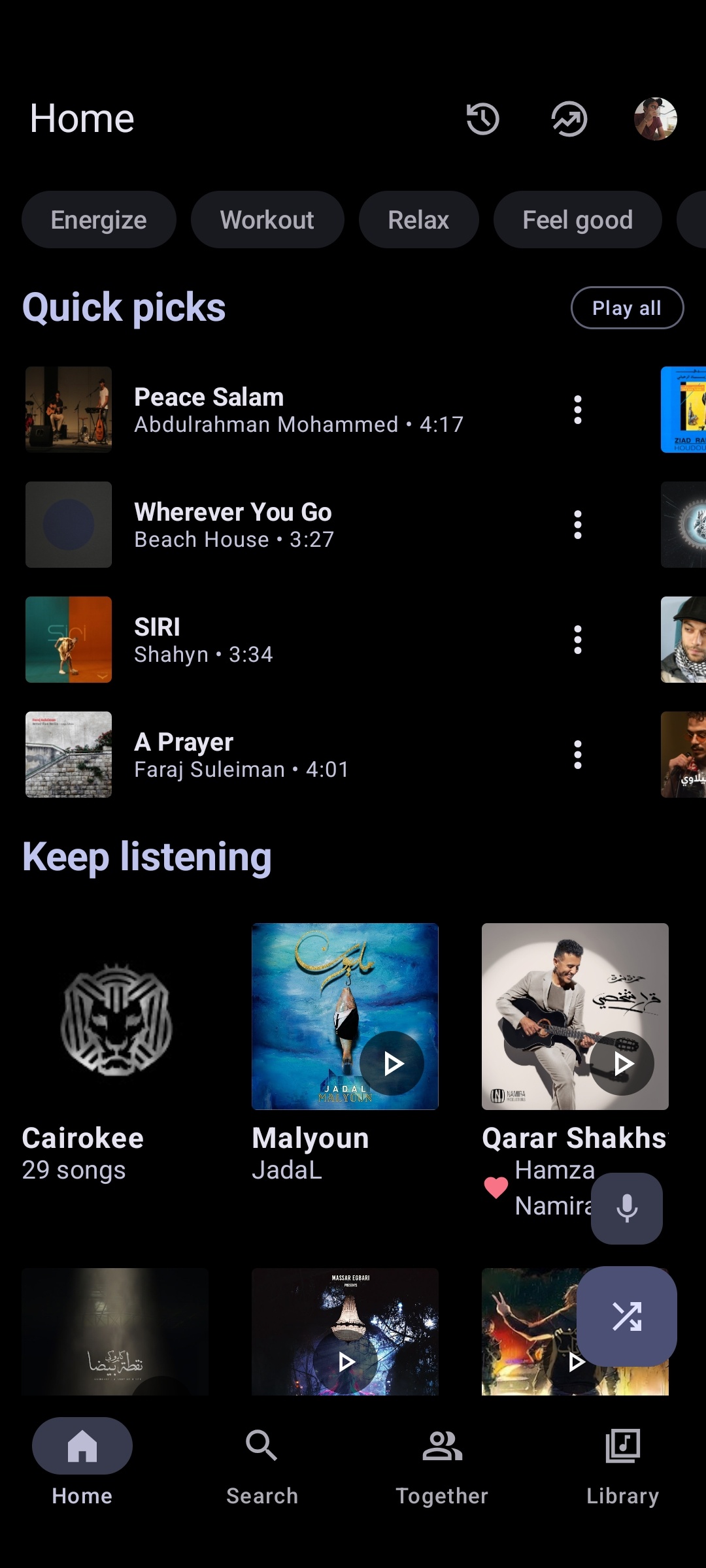
Home Feed
Personalized quick picks, recent albums, and trending charts
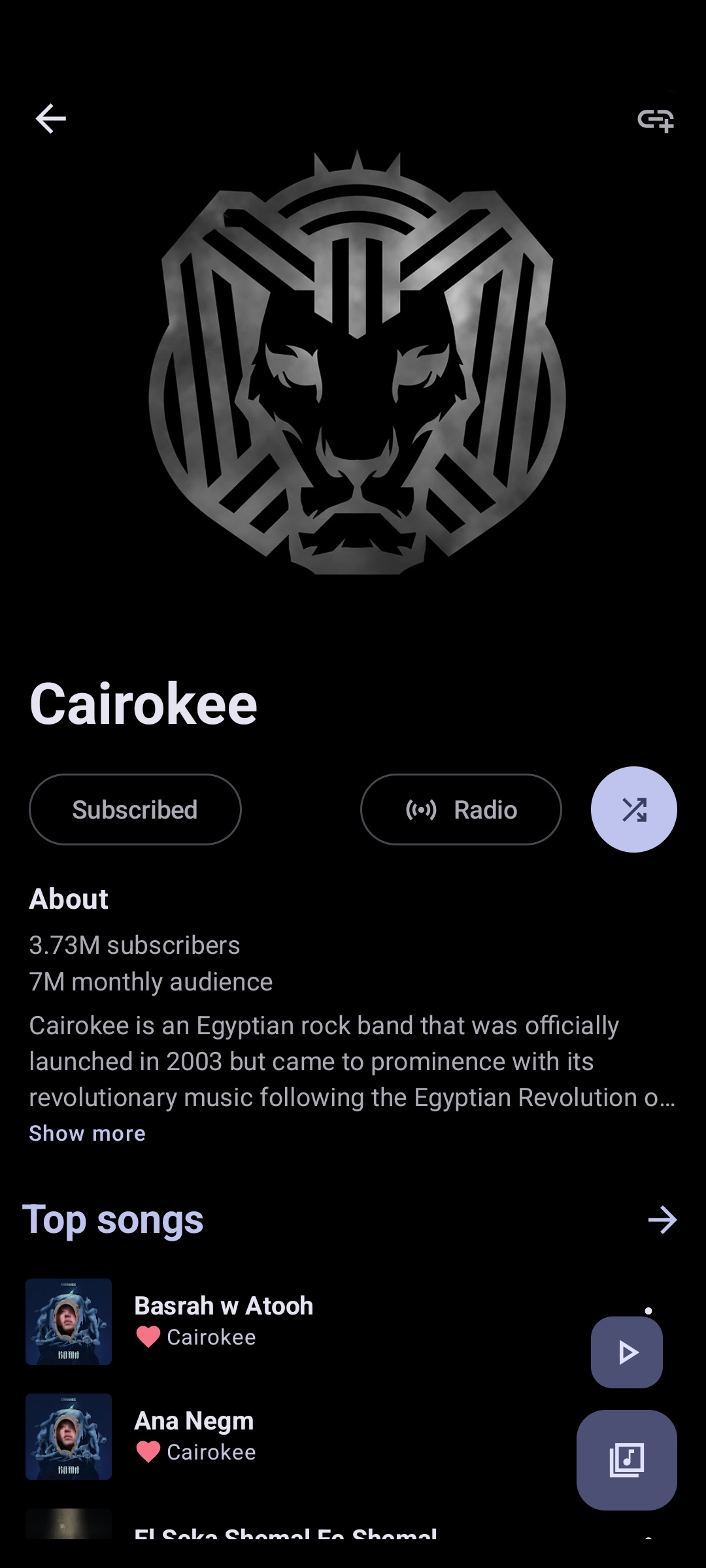
Artist Explorer
Comprehensive artist discography, top singles, and related artists
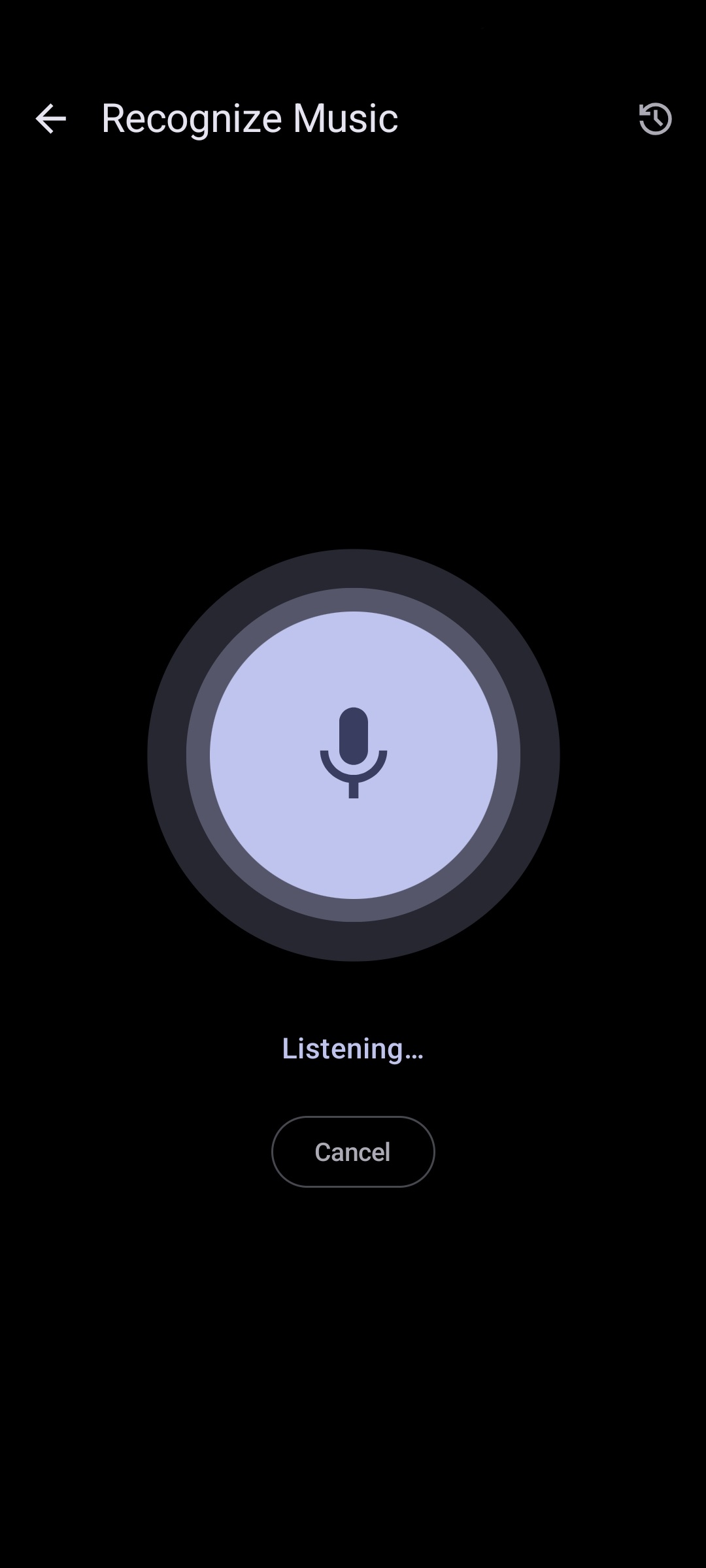
Song Recognition
Identify songs playing around you instantly with audio recognition
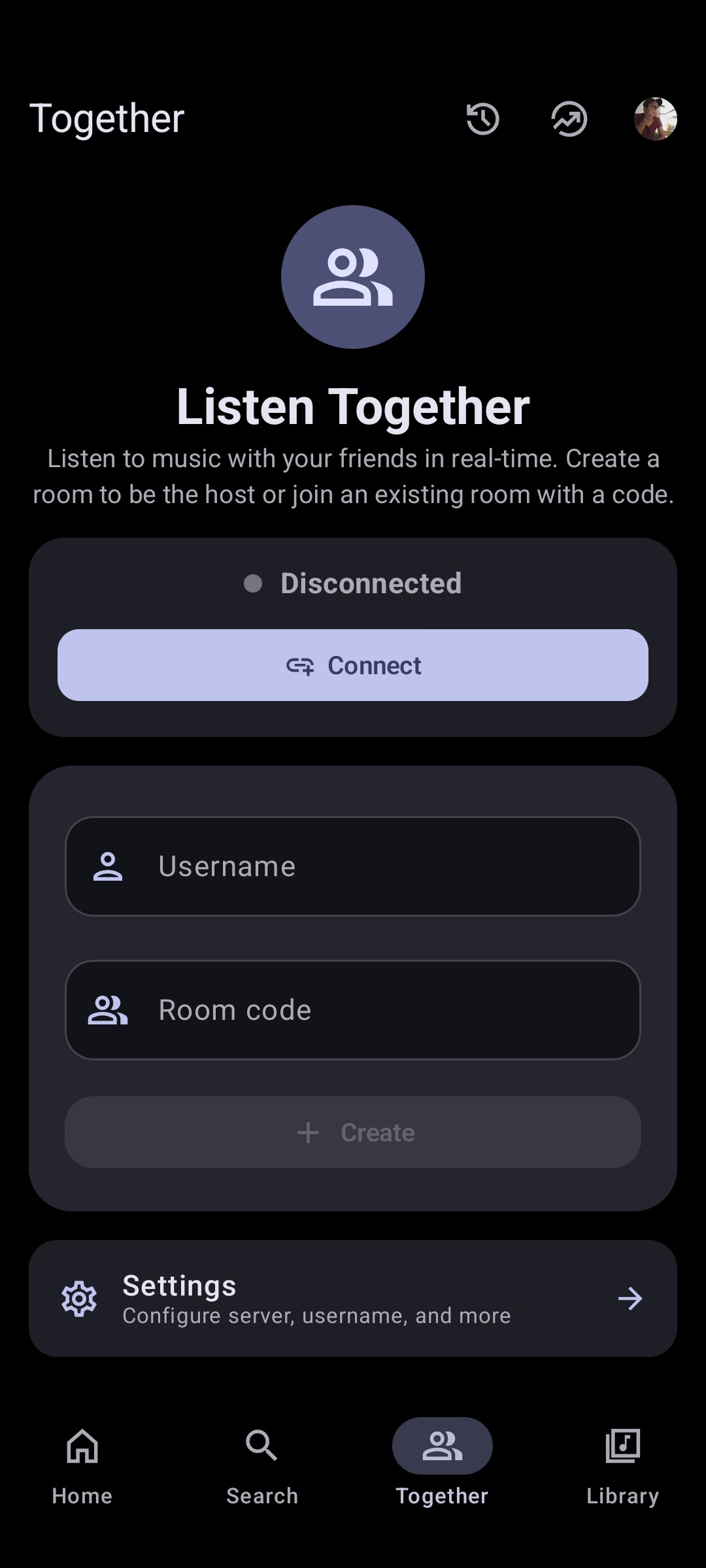
Listen Together
Host real-time synchronized music streaming sessions with friends
Now Playing Screen
High-res artwork with acoustic equalizer and tempo pitch controls
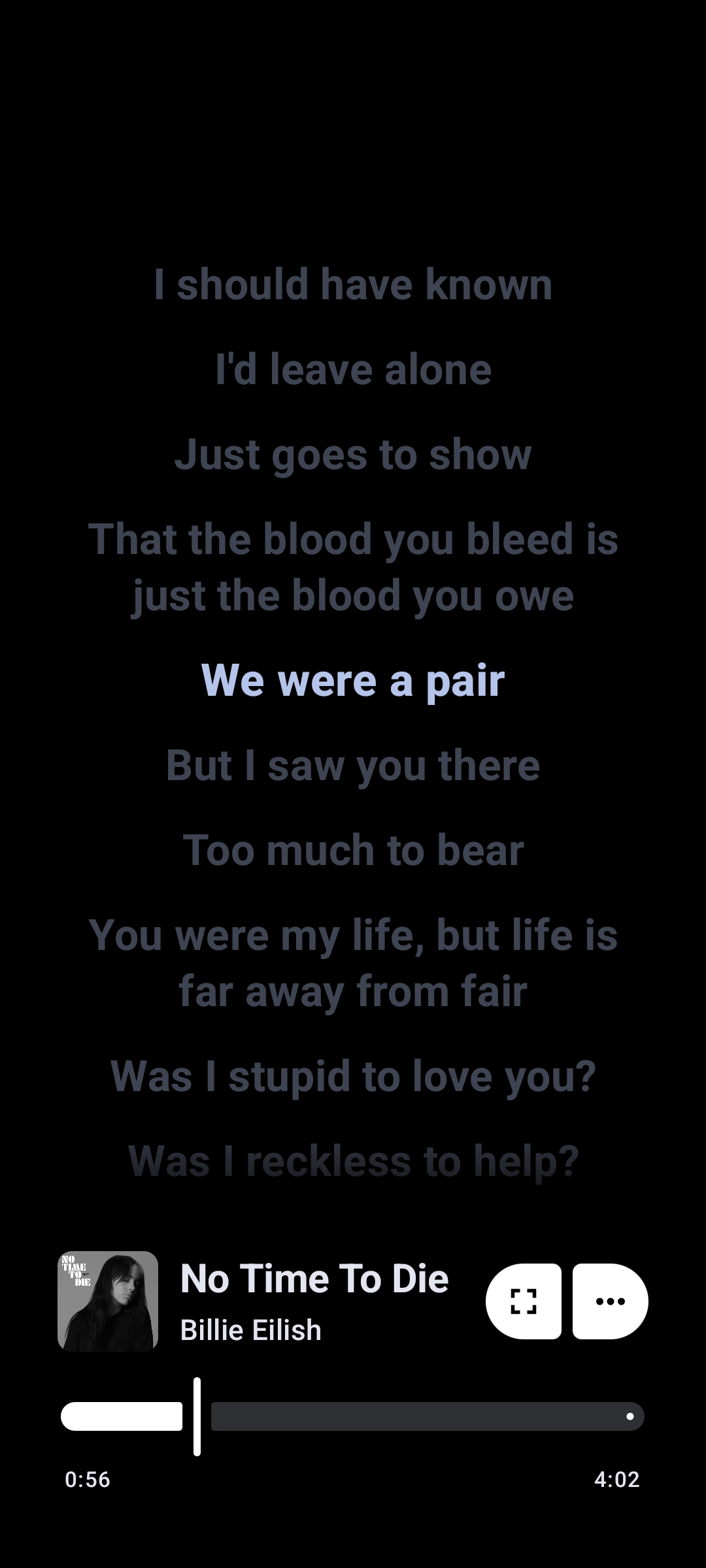
Live Synced Lyrics
Time-synced lyrics with instant AI multi-language translation
System Requirements for Metrolist Android
Metrolist is optimized for lightweight execution across entry-level and flagship Android smartphones and tablets.
How to Install Metrolist APK on Android
Installing Metrolist via APK is safe and straightforward on all modern Android devices. Follow these four quick steps to complete your setup in less than two minutes.
Download the Verified APK
Obtain the authentic Metrolist.apk (v13.7.0) from our verified download section or the project's official GitHub releases repository. Ensure the file size matches approximately 25.6 MB.
Grant Unknown Sources Permission
On Android 8.0 and above, permission is granted per app. When your browser (e.g., Chrome or Firefox) prompts you, tap Settings and toggle "Allow from this source" on.
Open & Execute Package Installer
Navigate to your device Downloads folder using your file manager or tap the completed download notification in your status bar to trigger the Android package installer.
Launch & Configure Audio Preferences
Open Metrolist from your app drawer. You can begin streaming immediately without any login. Explore the built-in Equalizer in Settings to calibrate your sound output.
Encountering "App Not Installed" or Regional Playback Errors?
Check if an older conflicting build from another signature is installed, or review our in-depth installation guide for Android permission fixes and VPN requirements.
Why Metrolist APK Needs No "Mod" or "Crack"
Many download portals distribute files labeled as "Metrolist Mod APK Premium Unlocked". It is vital to understand that genuine Metrolist is 100% free and open source from its very inception. The upstream repository on GitHub already includes all playback capabilities, background audio, offline caching, and ad-blocking out of the box.
Downloading repackaged "modded" versions from unauthorized file hosters introduces serious security vulnerabilities, including malware, adware injection, and compromised cryptographic signatures. Always obtain the untouched release binary straight from the official GitHub project.
Frequently Asked Questions
Everything you need to know about Metrolist APK installation, safety verification, audio playback features, and compatibility.
What is Metrolist APK?
Metrolist APK is an open-source, lightweight music streaming client for Android designed for YouTube Music. Built with modern Kotlin and Jetpack Compose, it enables ad-free audio playback, background listening, offline caching, and synchronized lyrics without requiring Google Play Services or a paid subscription.
Is Metrolist APK free and open source?
Yes. Metrolist is 100% free and licensed under the GNU General Public License v3.0 (GPL-3.0). The complete source code is transparently maintained by the MetrolistGroup on GitHub. There are no paid tiers, paywalls, or premium subscriptions.
Do I need a Metrolist 'Mod APK' to get premium features?
No! Never download files marketed as a 'Metrolist Mod APK'. Because the genuine Metrolist application is already open-source and provides all features (background play, offline caching, ad-free streaming) natively, any site offering a 'Mod' or 'Cracked' version is likely distributing an untrusted repack containing malware or unwanted adware.
Why is Metrolist not available on the Google Play Store?
Google Play Store policies do not permit third-party applications that stream YouTube audio in the background or provide offline caching without using the proprietary YouTube Premium API. Consequently, Metrolist is distributed directly through verified GitHub releases as an Android APK.
Does Metrolist require microG or a Google Account login?
No. Metrolist works completely standalone right out of the box without any login. If you wish to import your YouTube Music playlists or personal favorites, you can log in through the built-in browser authentication, but it is strictly optional.
Why does playback fail or throw an error in certain countries?
Metrolist streams audio from YouTube Music's regional servers. If YouTube Music is unavailable or restricted in your geographic region, playback will fail unless you connect via a VPN or proxy routed through a country where YouTube Music is supported.
Can I run Metrolist on PC or Windows?
Yes. While Metrolist is built natively for Android, you can run it on Windows 10/11 using Windows Subsystem for Android (WSA) or reliable Android emulators such as BlueStacks, LDPlayer, or NoxPlayer. Check our dedicated Metrolist for PC guide for step-by-step setup.
How do I safely update Metrolist when a new version comes out?
You can download the newer APK directly from the official GitHub releases and install it on top of your existing installation. Because both releases are signed with the same developer key, your saved playlists, downloaded songs, and custom settings will be preserved.